Picmal

Picmal

Batch convert and compress your images, videos and audios offline on your Mac.

3.0
11
Visits
Visit

Categories

Sections

Available Pages

Version History

Design Analysis

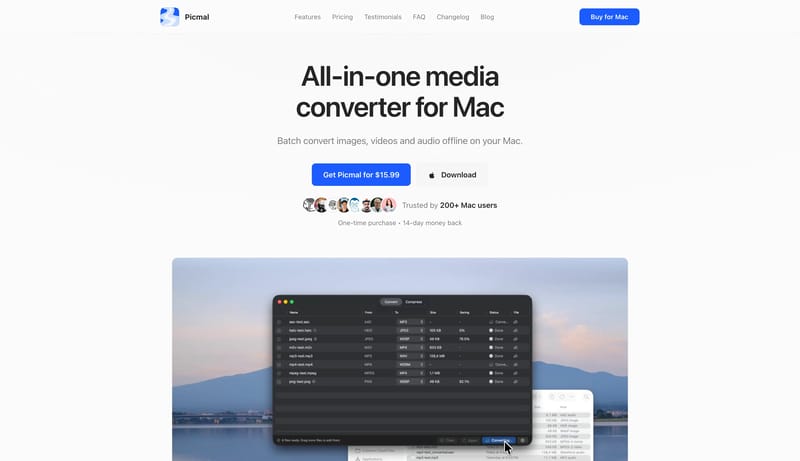
Picmal Home design analysis

--- version: "alpha" name: "Blue Utility Manual" description: "A crisp utility-product system with snow-white space, blue action bars, faint strokes, and screenshot-heavy proof." colors: primary: " 171717" secondary: " F...

Key Takeaways

  • Treat the system like a clean utility manual: direct, efficient, and screenshot-led.
  • Use blue actions to point the way without over-branding the shell.
  • Let docs, changelog, and marketing all feel like one family.
  • Use app windows, file tables, and clean lists as the dominant visual language.
  • Keep proof literal and legible rather than atmospheric.
  • Keep the page snow-white with faint gray structure.

Overview

  • Treat the system like a clean utility manual: direct, efficient, and screenshot-led.
  • Use blue actions to point the way without over-branding the shell.
  • Let docs, changelog, and marketing all feel like one family.

Image Direction

  • Use app windows, file tables, and clean lists as the dominant visual language.
  • Keep proof literal and legible rather than atmospheric.

Colors

  • Keep the page snow-white with faint gray structure.
  • Use blue only for actions and a few support sparks.
  • Let gray borders and fills do the organizational work.

Typography

  • Use a native-adjacent system sans throughout.
  • Keep labels and button copy short and efficient.
SpacePlay/PauseSeek 1sShiftSeek 10s